base on A Third-party GPTs store # GPTs Works
GPTs Works is a Third-party GPTs store.
## Introduction
This project consists of the following three parts👇
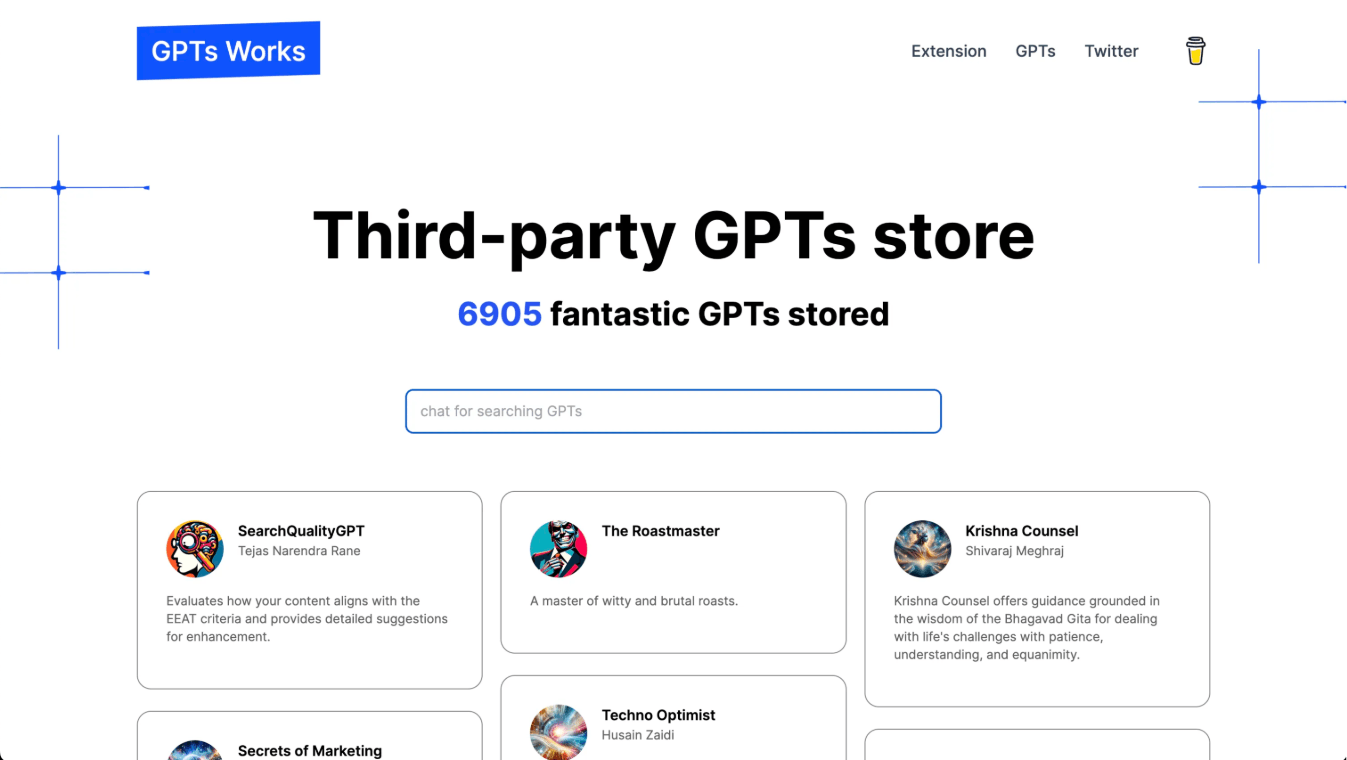
1. Website
code located in the `web` directory.
you can view a live demo at: [https://gpts.works](https://gpts.works)
2. Index System
code located in the `index` directory.
index system is used for searching GPTs with vector.
there is a GPTs built with index system: [https://chat.openai.com/g/g-EBKM6RsBl-gpts-works](https://chat.openai.com/g/g-EBKM6RsBl-gpts-works)

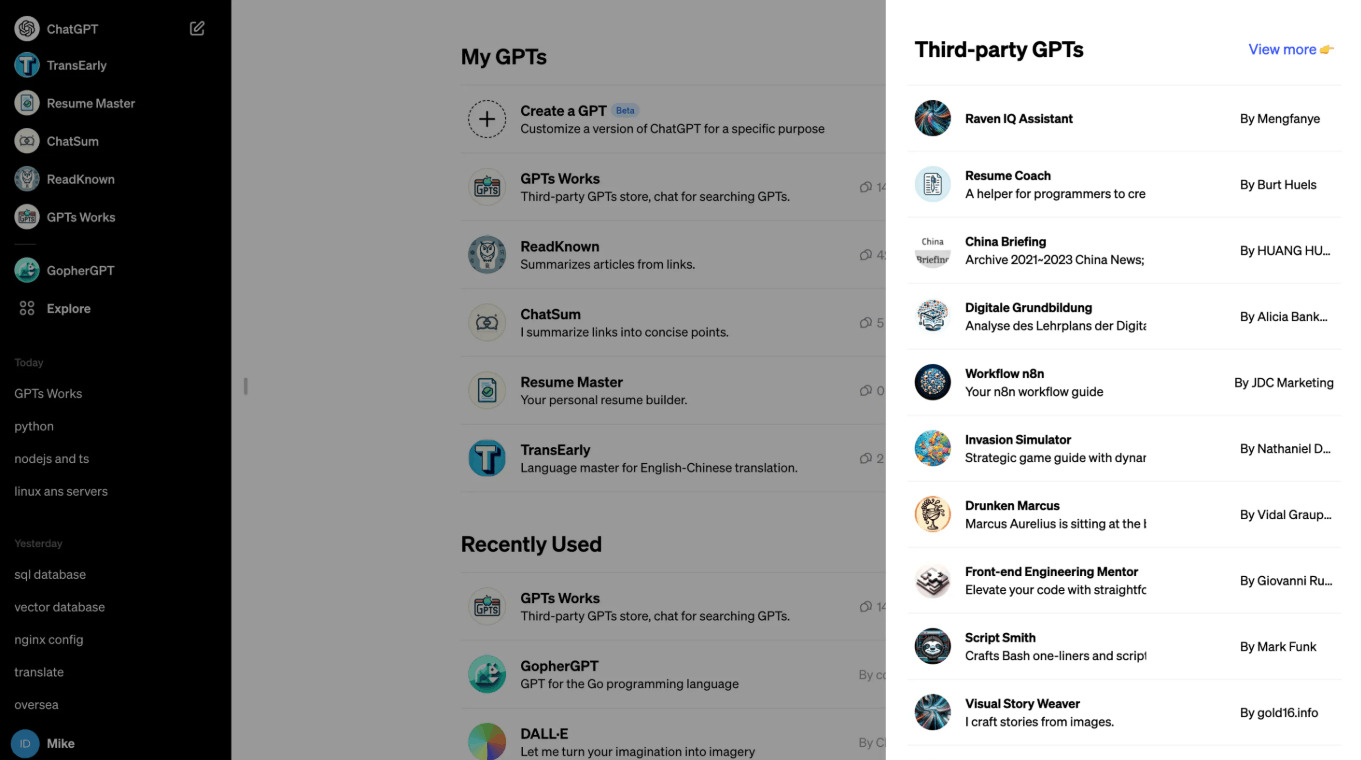
3. Browser Extension
code located in the `extension` directory.
browser extension is used to show Third-party GPTs beside ChatGPT Explore page.
## Dependencies
- [Vercel](https://vercel.com/): used for deploying website
- [Vercel Storage Postgres](https://vercel.com/docs/storage/vercel-postgres): used for storing data.
- [Zilliz Cloud](https://cloud.zilliz.com/): used for vector storing and searching
## Deploy with Vercel
[](https://vercel.com/new/clone?repository-url=https%3A%2F%2Fgithub.com%2Fall-in-aigc%2Fgpts-works&env=POSTGRES_URL,INDEX_API_BASE_URI,INDEX_API_KEY&envDescription=Create%20your%20Vercel%20Postgres%20DB%20firstly%20before%20set%20POSTGRES_URL%20value.&envLink=https%3A%2F%2Fgithub.com%2Fall-in-aigc%2Fgpts-works%3Ftab%3Dreadme-ov-file%23dependencies&project-name=my-gpts-works&repository-name=my-gpts-works&redirect-url=https%3A%2F%2Fgpts.works&demo-title=GPTs%20Works&demo-description=A%20Third-party%20GPTs%20Store.&demo-url=https%3A%2F%2Fgpts.works&demo-image=https%3A%2F%2Fgpts.works%2Flogo.png)
## Local development
### Clone project
```shell
git clone https://github.com/all-in-aigc/gpts-works.git path-to-project
```
### Prepare data
1. create table in your postgres database with sql:
```sql
CREATE TABLE gpts (
id SERIAL PRIMARY KEY,
uuid VARCHAR(255) UNIQUE NOT NULL,
org_id VARCHAR(255),
name VARCHAR(255),
description TEXT,
avatar_url TEXT,
short_url VARCHAR(255),
author_id VARCHAR(255),
author_name VARCHAR(255),
created_at timestamptz,
updated_at timestamptz,
detail JSON,
index_updated_at INT NOT NULL DEFAULT 0
);
```
2. insert your own GPTs data into your postgres database
### Start with Website
1. locate a .env file in dir `path-to-project/web` with content:
```
POSTGRES_URL="postgres://default:
[email protected]/verceldb"
INDEX_API_BASE_URI="http://127.0.0.1:8068"
INDEX_API_KEY="gsk-xxx"
```
2. install dependencies
```shell
pnpm install
```
3. start web server
```
make dev
```
4. preview website
open `http://localhost:8067`
### Start with Index System
1. locate a .env file in `path-to-project/index` with content
```
DATABASE_URL=postgres://default:
[email protected]:5432/verceldb
AZURE_API_KEY=xxx
AZURE_API_BASE=https://xxx.openai.azure.com/
AZURE_API_VERSION=2023-07-01-preview
AZURE_LLM_MODEL=gpt-35-turbo-16k
AZURE_EMBED_MODEL=text-embedding-ada-002
STORE_TYPE=zilliz
STORE_URI=https://xxx.zillizcloud.com
STORE_TOKEN=xxx
STORE_DIM=1536
STORE_COLLECTION=gpts
INDEX_API_KEY=gsk-xxx
```
2. install dependencies
```shell
pip install -r requirements.txt
```
3. start api server
```
make dev
```
4. build index for gpts data
```
curl -X POST -H "Authorization: Bearer gsk-xxx" http://127.0.0.1:8068/gpts/index
```
5. search gpts from index
```
curl -X POST -H "Authorization: Bearer gsk-xxx" -H "Content-Type: application/json" -d '{"question": "What GPTs are used for coding?"}' http://127.0.0.1:8068/gpts/index
```
### Start with Extension
goto `path-to-project/extension`
1. install dependencies
```
pnpm install
```
2. start server
```
make dev
```
3. debug extension
open `chrome://extensions/`, click `Load unpacked`
## Thanks to
- [GPTs Hunter](https://www.gptshunter.com) for sharing gpts-data
- [next.js](https://github.com/vercel/next.js) for web deployment
- [fastapi](https://github.com/tiangolo/fastapi) for building index system
- [plasmo](https://github.com/PlasmoHQ/plasmo) for browser extension development
> if this project is helpful to you, buy me a coffee😄
<a href="https://www.buymeacoffee.com/idoubi" target="_blank"><img src="https://cdn.buymeacoffee.com/buttons/default-orange.png" alt="Buy Me A Coffee" height="41" width="174"></a>
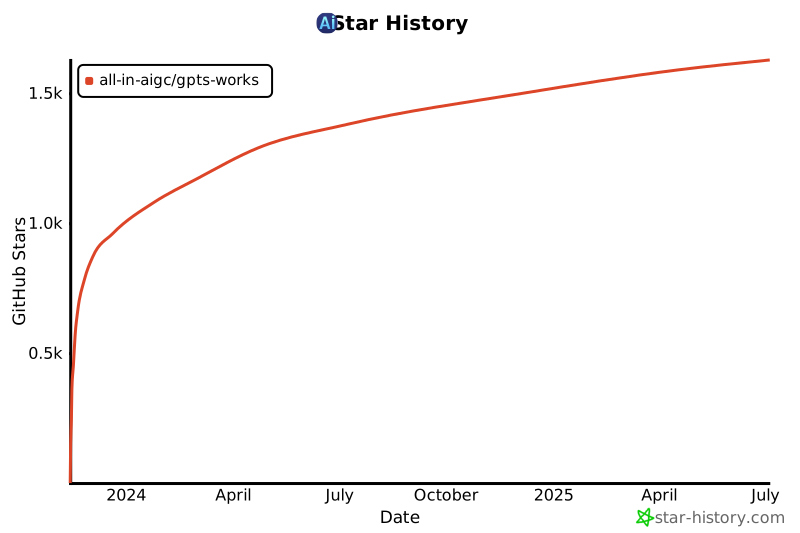
## Star History
[](https://star-history.com/#all-in-aigc/gpts-works&Date)
", Assign "at most 3 tags" to the expected json: {"id":"4993","tags":[]} "only from the tags list I provide: []" returns me the "expected json"