base on Build and Deploy java applications on Kubernetes # Eclipse JKube
> Cloud-Native Java Applications without a hassle
[](https://github.com/eclipse-jkube/jkube-integration-tests/actions/workflows/e2e-tests.yml)
[](https://sonarcloud.io/dashboard?id=jkubeio_jkube)
[](https://sonarcloud.io/dashboard?id=jkubeio_jkube)
[](https://gitter.im/eclipse-jkube/jkube?utm_source=badge&utm_medium=badge&utm_campaign=pr-badge)
[](https://twitter.com/jkubeio)
[](https://gitpod.io/#https://github.com/eclipse-jkube/jkube)
<p align="center">
<a href="https://www.eclipse.dev/jkube/">
<img src="./media/JKube-Logo-final-horizontal-color.png" alt="Eclipse JKube" title="The Eclipse JKube Logo"/>
</a>
</p>
## Contents
- [Introduction](#introduction)
- [Kubernetes Maven Plugin](#kubernetes-maven-plugin)
- [Kubernetes Gradle Plugin](#kubernetes-gradle-plugin)
- [OpenShift Maven Plugin](#openshift-maven-plugin)
- [OpenShift Gradle Plugin](#openshift-gradle-plugin)
- [Migrating from Fabric8 Maven Plugin to Kubernetes/OpenShift Maven Plugin](https://www.eclipse.dev/jkube/docs/migration-guide)
- [Getting Started](#getting-started)
- [Maven Quickstarts](./quickstarts/maven)
- [Gradle Quickstarts](./quickstarts/gradle)
- [Hello World using Eclipse JKube](#hello-world-using-eclipse-jkube)
- [Troubleshooting](#troubleshooting)
- [Rebranding Notice](#rebranding-notice--loudspeaker-)
- [Contributing](https://www.eclipse.dev/jkube/contributing/)
- [How to use Eclipse JKube snapshot artifacts?](./USING-SNAPSHOT-ARTIFACTS.md)
- [Add your organization to ADOPTERS](./ADOPTERS.md)
- [FAQs](https://www.eclipse.dev/jkube/docs/kubernetes-maven-plugin/#faq)
## Introduction
Eclipse JKube is a collection of plugins and libraries that are used for building container images using Docker, JIB or
S2I build strategies. Eclipse JKube generates and deploys Kubernetes/OpenShift manifests at compile time too.
It brings your Java applications on to Kubernetes and OpenShift by leveraging the tasks required to make your
application cloud-native.
Eclipse JKube also provides a set of tools such as watch, debug, log, etc. to improve your developer experience.
This project contains various building blocks for the Kubernetes Java developer toolbox.
### Kubernetes Maven Plugin
- [](https://search.maven.org/search?q=g:%22org.eclipse.jkube%22%20AND%20a:%22kubernetes-maven-plugin%22)
- [](https://www.eclipse.dev/jkube/docs/kubernetes-maven-plugin)
- Add to project:
```xml
<plugin>
<groupId>org.eclipse.jkube</groupId>
<artifactId>kubernetes-maven-plugin</artifactId>
<version>${jkube.version}</version>
</plugin>
```
- Run the JKube commands, for instance:
```shell
mvn package k8s:build k8s:push k8s:resource k8s:apply
```
- :tv: Watch 2-minute demo on YouTube:
[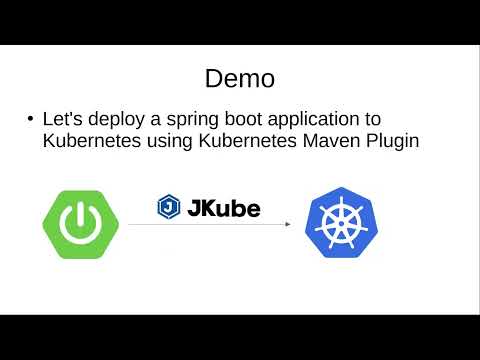](https://youtu.be/FHz5q8ERtPk)
### Kubernetes Gradle Plugin
- [](https://search.maven.org/search?q=g:%22org.eclipse.jkube.kubernetes%22%20AND%20a:%22org.eclipse.jkube.kubernetes.gradle.plugin%22)
- [](https://www.eclipse.dev/jkube/docs/kubernetes-gradle-plugin/)
- Add to project:
```groovy
plugins {
id "org.eclipse.jkube.kubernetes" version "${jKubeVersion}"
}
```
- Run the JKube commands, for instance:
```shell
gradle build k8sBuild k8sPush k8sResource k8sApply
```
- :tv: Watch 2-minute demo on YouTube:
[](https://youtu.be/TUYl2Vw8bnQ)
### OpenShift Gradle Plugin
- [](https://search.maven.org/search?q=g:%22org.eclipse.jkube.openshift%22%20AND%20a:%22org.eclipse.jkube.openshift.gradle.plugin%22)
- [](https://www.eclipse.dev/jkube/docs/openshift-gradle-plugin/)
- Add to project:
```groovy
plugins {
id "org.eclipse.jkube.openshift" version "${jKubeVersion}"
}
```
- Run the JKube commands, for instance:
```shell
gradle build ocBuild ocResource ocApply
```
- :tv: Watch 2-minute demo on YouTube:
[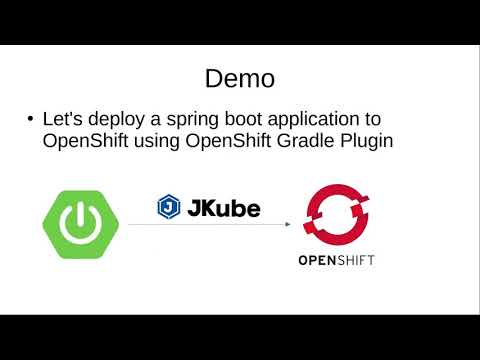](https://youtu.be/uMxEzLdqcik)
### OpenShift Maven Plugin
- [](https://search.maven.org/search?q=g:%22org.eclipse.jkube%22%20AND%20a:%22openshift-maven-plugin%22)
- [](https://www.eclipse.dev/jkube/docs/openshift-maven-plugin)
- Add to project:
```xml
<plugin>
<groupId>org.eclipse.jkube</groupId>
<artifactId>openshift-maven-plugin</artifactId>
<version>${jkube.version}</version>
</plugin>
```
- Run the JKube commands, for instance:
```shell
mvn package oc:build oc:resource oc:apply
```
- :tv: Watch 2-minute demo on YouTube:
[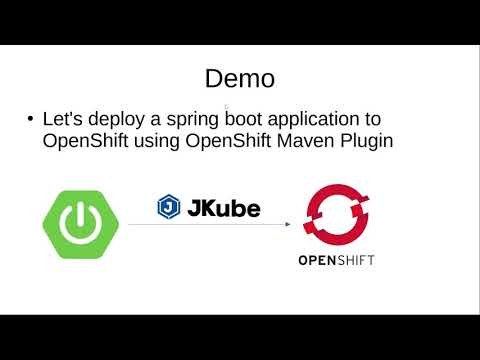](https://youtu.be/ZJzfD-bDxpc)
## Getting started
You can take a look at our quickstarts in [quickstarts](./quickstarts) directory that contain sample maven and gradle projects using the latest version of jkube plugin.
### Hello World using Eclipse JKube
- Clone repository and move to quickstart [helloworld](https://github.com/eclipse-jkube/jkube/tree/master/quickstarts/maven/hello-world) sample, build project and run JKube goals:
```shell script
# 1. Clone repository
$ git clone
[email protected]:eclipse/jkube.git
# 2. Move to Hello World Quickstart folder
$ cd jkube/quickstarts/maven/hello-world
# 3. Configure your local environment to re-use the Docker daemon inside the Minikube instance.
~ jkube/quickstarts/maven/hello-world : $ eval $(minikube -p minikube docker-env)
# 4. Build Project and run JKube goals
$ mvn clean install \
k8s:build `# Build Docker Image` \
k8s:resource `# Generate Kubernetes Manifests` \
k8s:apply `# Apply generated Kubernetes Manifests onto Kubernetes`
```
- Check created pod logs:
```shell script
# Using Kubectl
$ kubectl get pods
NAME READY STATUS RESTARTS AGE
helloworld-664bf5fdff-2bmrt 1/1 Running 0 9s
$ kubectl get svc
helloworld NodePort 10.110.92.145 <none> 8080:32353/TCP 58m
kubernetes ClusterIP 10.96.0.1 <none> 443/TCP 7h
$ curl `minikube ip`:32353/hello
Hello World
```
#### Troubleshooting
If you experience problems using minikube that pod's status shows 'ImagePullBackOff' and not 'Running' you must share the minikube's docker daemon environment with your shell with:
```shell script
$ eval $(minikube -p minikube docker-env)
```
You can remove this from your shell again with:
```shell script
$ eval $(minikube docker-env -u)
```
If you don't want to type the command for every new terminal you open, you can add the command to your `.bash_profile`
on mac or `.zshrc`.
## Rebranding Notice :loudspeaker:
This project is not an effort from scratch. It was earlier called
[Fabric8 Maven Plugin](https://github.com/fabric8io/fabric8-maven-plugin).
It is just refactored and rebranded version of the project targeted towards Java developers who are working on top of
Kubernetes. For more information about history, please see [REBRANDING.md](./REBRANDING.md)
", Assign "at most 3 tags" to the expected json: {"id":"7671","tags":[]} "only from the tags list I provide: []" returns me the "expected json"